Short answer: it worked. A second account claimed the setup, rented a machine, pasted one command, and got four images from the same workflow. One of the files didn't come from us: its licence didn't let us pass it on, and the recipient's restore fetched it from its original source and checked it.
The workflow
An apple, three ways. Stable Diffusion 1.5 makes the first picture. That picture feeds an IP-Adapter as a reference and a depth preprocessor, a depth adapter and the IP-Adapter drive a second picture, and CLIPSeg cuts out a mask from the prompt "apple". Four images come out: the final, the mask, the depth map and the reference.
It is a typical "three custom nodes" workflow, and it is useful because the models sit in three different kinds of place:
- Folders you put them in yourself. The SD1.5 checkpoint, the two IP-Adapter files (the adapter and a CLIP vision model) and the depth adapter, in ComfyUI's
models/folders. The workflow doesn't always name the IP-Adapter files, since the node looks them up by pattern. - A folder the node pack downloads into on first run. The depth preprocessor fetches its network into its own folder, inside
custom_nodes. - Your home folder's cache. CLIPSeg downloads its weights through Hugging Face, into
~/.cache/huggingface/hub, outside ComfyUI altogether.
If you're sending this to a friend, any of the three is where it goes wrong.
What we handed over
The nest was 37 files, 7.96 GB. A second account claimed it into its own drive from the console, accepted the prompt that says you're running the sender's code, and signed its own restore code. We pasted it into a fresh RunPod RTX A6000.
One file couldn't travel: CLIPSeg's weights, 575 MB. It is on our list of files we don't pass on. The restore said so before downloading anything:
1 file(s) do not travel with this nest — their licence does not let the sender pass them on. All of them, before anything is downloaded:

  We will fetch these for you from their original source (1), and check each one against this nest:
      .cache/huggingface/hub/models--CIDAS--clipseg-rd64-refined/snapshots/999e0328…/model.safetensors  (575.1 MB)
          from <https://huggingface.co/CIDAS/clipseg-rd64-refined/resolve/999e0328…/model.safetensors>
Then it fetched the file from Hugging Face and checked it against the nest, and carried on with the rest.
The screens the recipient used
After claiming the nest, the recipient is walked through the rest in the console. A four-step page covers it: confirm the version, rent a GPU, sign a restore code, watch the restore run. These three screens are from the console on October 11, for a nest of the same kind as this one.
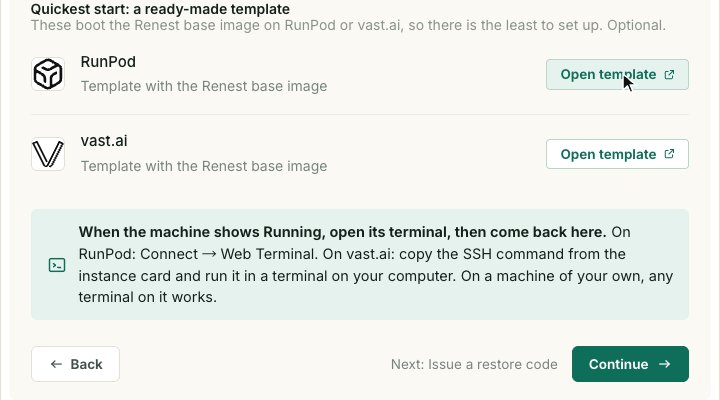
Step 2, rent a GPU. The page offers a ready-made template on RunPod or vast.ai that boots the Renest base image, and says what to do once the machine shows "Running": open its terminal, then come back.
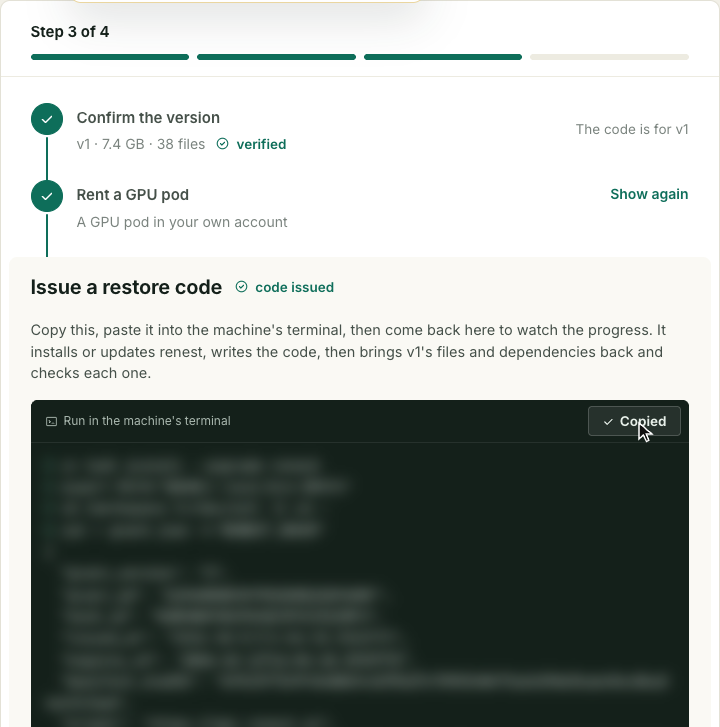
Step 3, issue a restore code. One button copies a command. The recipient pastes it into the machine's terminal; it installs or updates the tool, writes the code, then brings the files and dependencies back and checks each one. (We blurred the command: it contains the recipient's code.)
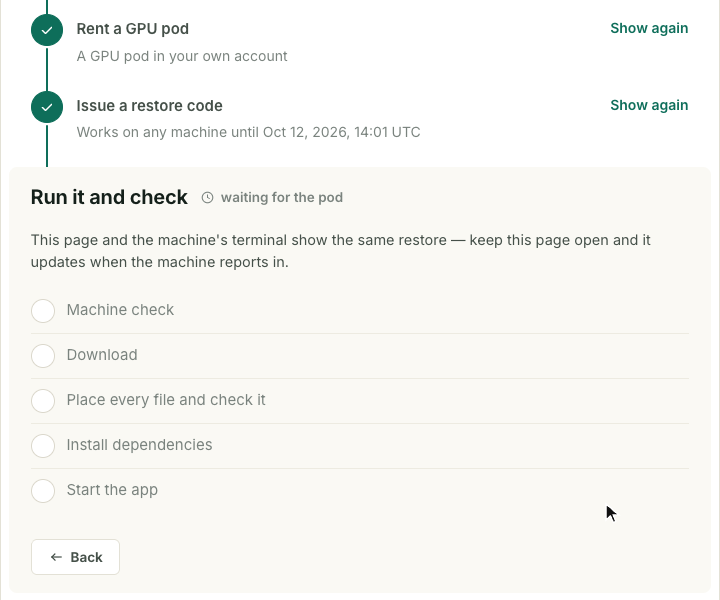
Step 4, run it and check. The page and the machine's terminal show the same restore. Five stages tick off as the machine reports in: machine check, download, place every file and check it, install dependencies, start the app.
What the recipient got
Three of the four pictures the recipient's restore produced: the reference apple, the depth map made from it, and the final picture, driven by the reference and the depth map. The fourth, the CLIPSeg mask for the prompt "apple", is left out here because of the licence question for CLIPSeg's weights.
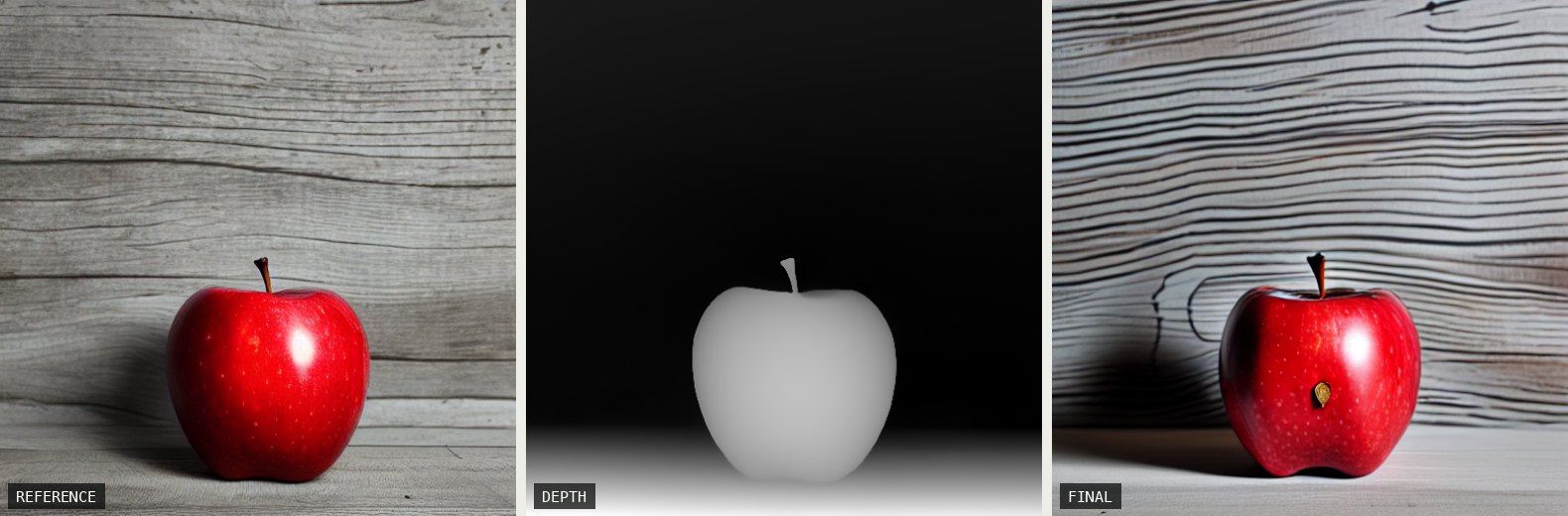
The final picture follows the reference apple's colour and the depth map's outline, but it is a new picture: the wood grain and the lighting are different.
What happened on the recipient's side
Four minutes: 4 min 11 s from pasting the command to the finished test render. The render itself, 22 seconds, produced the four images. Our own check afterwards re-read 32 files from the nest and none were missing or different, including the 14 that live in the home-folder cache area.
The home-folder files didn't go into the recipient's real home folder: they were put back inside the restore folder, and the app was started pointed at them.
If the original source isn't known
We had the address here. If a file's address isn't recorded, or needs a sign-in the recipient hasn't got, the restore stops before the big download, names every such file with its exact size and checksum and the path to put it at, and waits. You put the file there and run the same command again. The sender can avoid that by giving a download address when packing.
What we'd tell someone sending a workflow
- List where your models live, not just which ones. Three places in this workflow, and a graph export shows none of them.
- Know which of your models can be passed on. Anything with a licence that forbids it will have to be fetched by the recipient, and that works only if the original source still has it.
- Try it on a clean machine first. The recipient's run is the only one that tells you.
What this doesn't say
One workflow, one pair of accounts, one GPU model, on version 0.1.23. Whether the licence lets you use CLIPSeg is between you and its publisher. What we checked is that the bytes are the ones recorded.